
Last Updated: 2025-02-06
- Overview
- Implementation
- Targeted Insights
- Summary of Key Insights
- Diagnostic Insights
- Ongoing Updates
Overview
PI Assistant is our Artificial Intelligence tool that allows users to quickly and easily drive deeper insights. When a user clicks on a tab that is relevant to the PI Assistant, there will be general insights that appear. As the user navigates the application and sets filters or Show Bys, they can click the refresh button on the overlay to regenerate insights.
- There is no limit to filters that can be passed
- If there is a report with more than two Show Bys, only two Show Bys are currently supported by the overlay. If a third is selected, only 2 will be considered.
Implementation
During implementation, we can customize the PI Assistant to suit your needs. There are many parameters that can be set for each measure. Please keep this in mind during the implementation process and let your dedicated PeopleInsight analyst know what thresholds you would like to be set and if you would like to make any changes to the defaults.
-
- Time Horizon - By default, the AI only looks at the prior 2 years.
- Starting Point - The default starting point is the prior finished month.
- Threshold - Each measure has a "threshold" that triggers insights. e.g. turnover rate or time to fill.
- Fields - For diagnostic insights, we are able ignore certain fields.
Targeted Insights
Core HR
- Turnover
Talent Acquisition
- Time to Fill
- Time to Start
- Offer Rejection Rate
- Time in Stage
- Stage Pass Through Rate
Key Insights
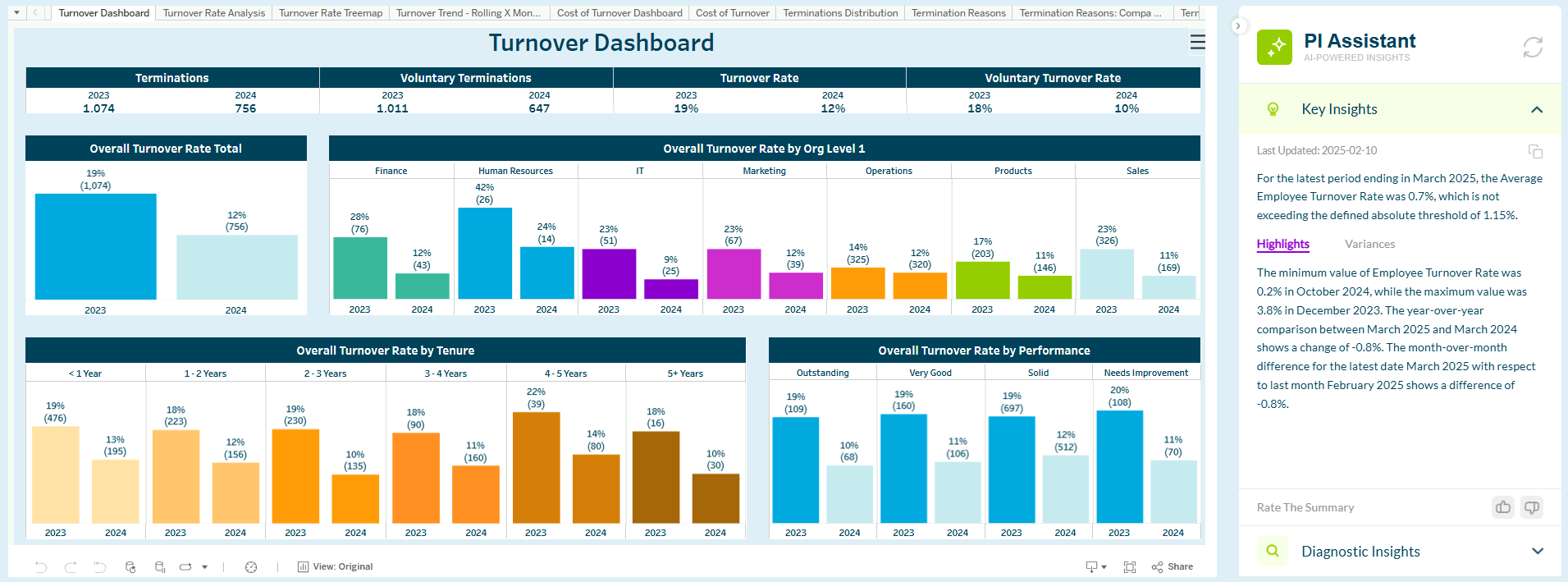
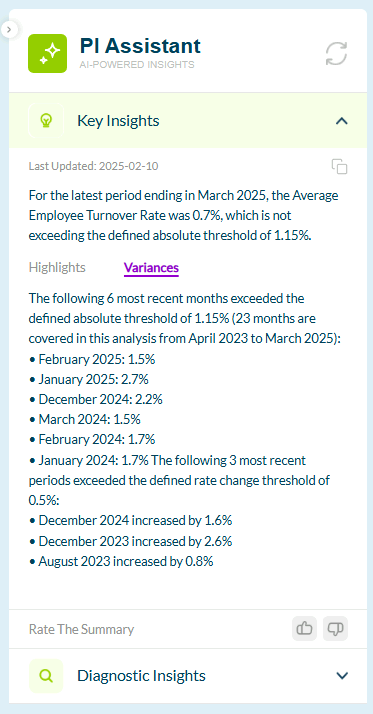
Deviations from Thresholds
In the case where a specific threshold is set, the PI Assistant will provide the deviation from the threshold. A summary is provided for the latest period at the top of the Key Insights section. For details on the variances for the 6 most recent months, click on the "Variances" tab.
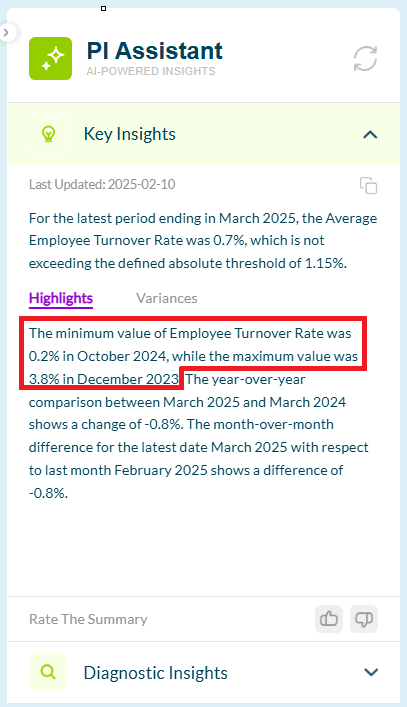
Min/Max Values
The PI Assistant will provide the minimum and maximum values of the targeted insight and their respective months. This information is provided in the Key Insights section, under the "Highlights" tab.
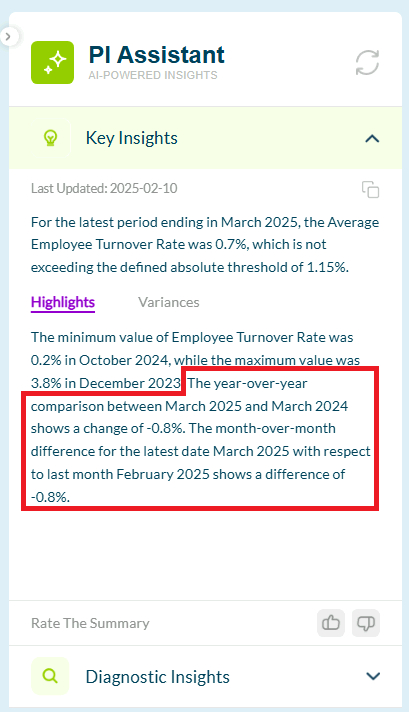
YoY & MoM Comparisons
The PI Assistant provides a year-over-year and month-over-month comparison of the targeted insight. This information is provided in the Key Insights section, under the "Highlights" tab.
Diagnostic Insights
Root Causes of Deviations from Thresholds
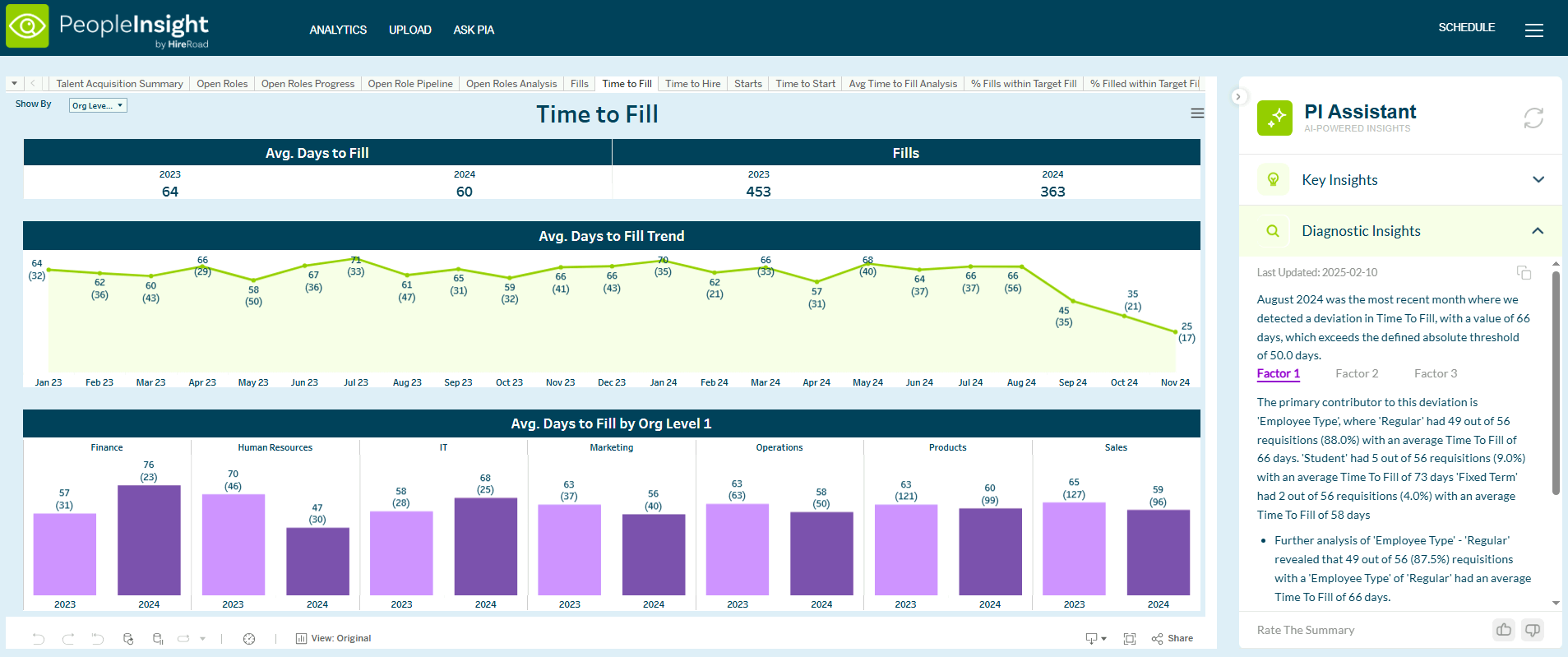
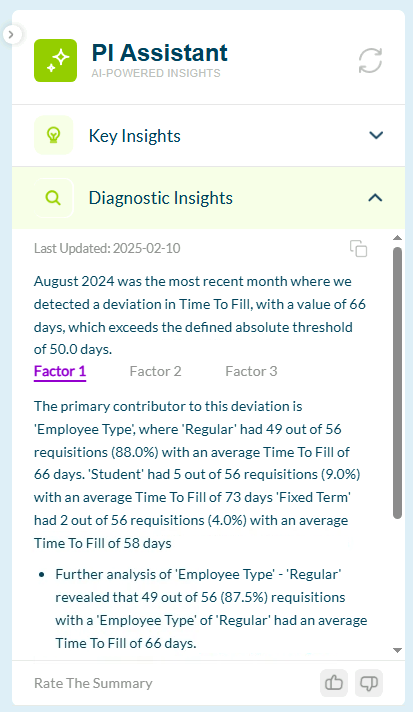
The PI Assistant AI identifies the top 3 factors that are most highly contributing to the deviations or variances in data. This root cause analysis aids the user by surfacing factors that are not quick or easy to find in the data. This can be found under the Diagnostic Insights section. A breakdown of each factor can be seen by clicking on the different "Factor" tabs.
Ongoing Updates
As PeopleInsight continues to grow alongside you, continual updates will be made to ensure that PeopleInsight offers the forward-looking and efficient functionality. The team at PeopleInsight welcomes and invites any user experience and interface suggestions that you may have! Please get in contract with your dedicated Customer Support Analyst if there are any updates that would be beneficial to you and your team.
For day-to-day functionality and general use, please visit the Zendesk Knowledge base.
October 24 2025
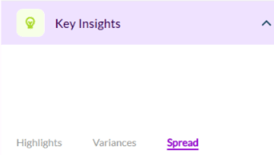
AI Overlay: ‘Spread’ added
If the AI Overlay has been enabled for you, ‘Spread’ has been added into the Key Insights, allowing a deeper understanding of the data.
AI Overlay: Show By Override
Users are now able to set their own KPI values when utilizing the overlay.
Scheduled Reporting
Bug fixed. Some reports were not being sent after being scheduled.
September 29 2025
Views List
Users with admin privileges will now be able to see which accounts within their organizations have access to specific views. Within each permission group, users assigned to that group only have access to the applicable views needed.
This new feature is available on the menu within PeopleInsight on the top right.
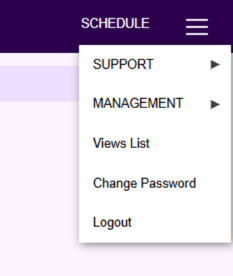
Within the ‘Views List’ tab, admin will have an easily digestible view to see which accounts have access to each workbooks. If any of these permissions need to be changed, admins are able to do so under ‘User Management’ within the Management tab in the menu.
