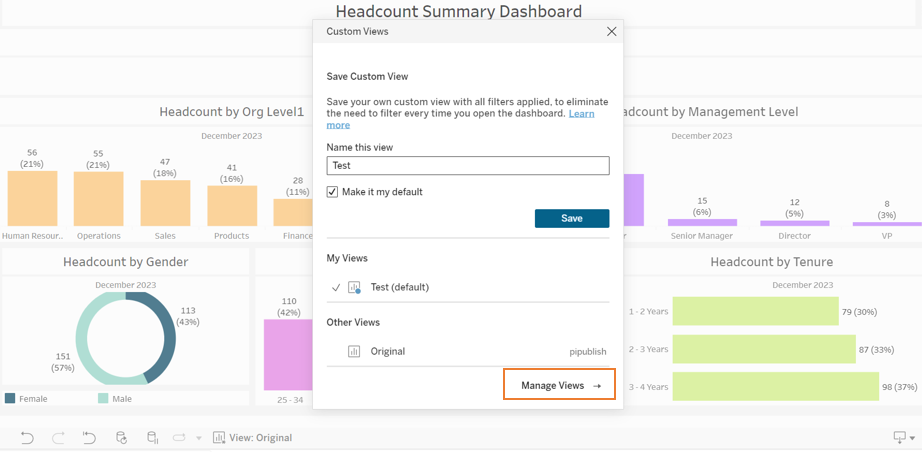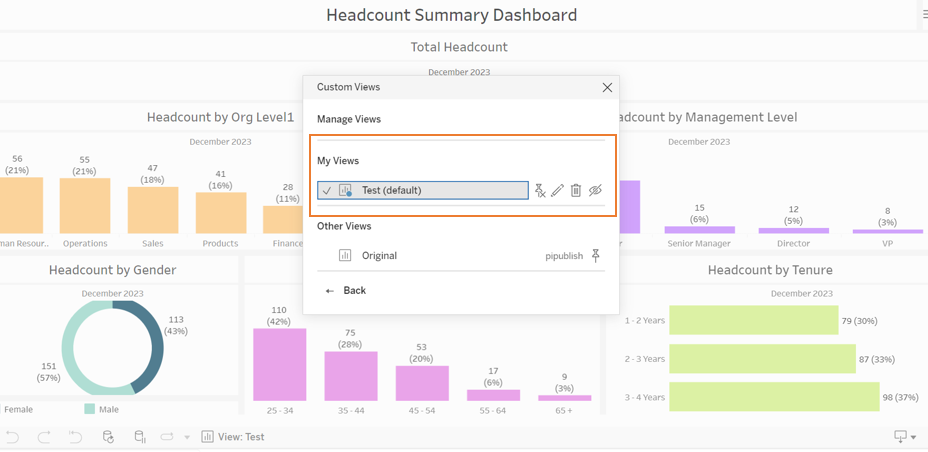
Custom views are a feature in PeopleInsight that allow you to save a preset of filters. If you find yourself applying the same set of filters frequently, Custom views will be a game-changer for you. With this feature, you can save your preferred filter settings as a default view, so they're automatically applied every time you open the dashboard. This helps you save time and eliminate the need to filter every time you open a dashboard. This article will explain how to create and how to use Custom Views
How to Create a Custom View
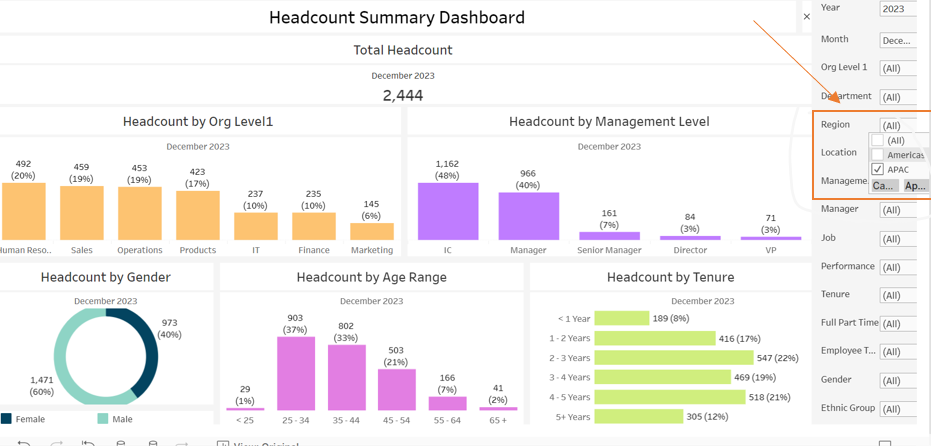
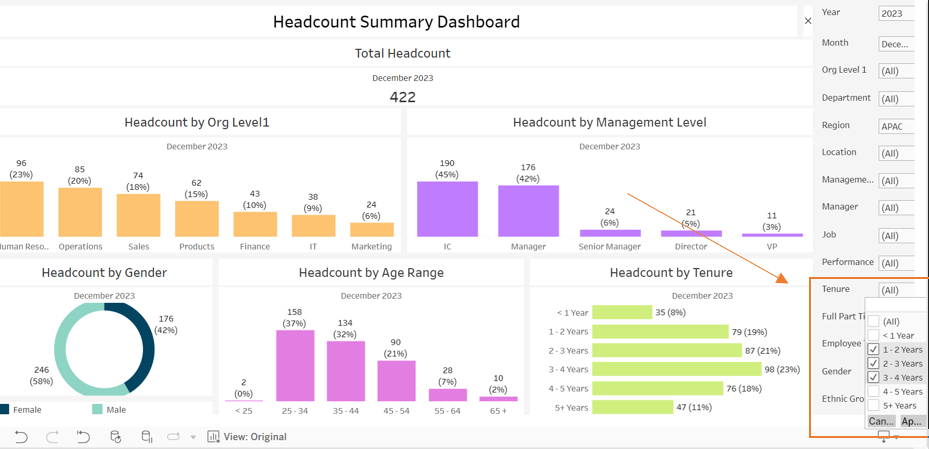
Step 1: Select the filters of your choice.
In this case, we are setting the Region filter to “APAC” and tenure to 1-4 years.
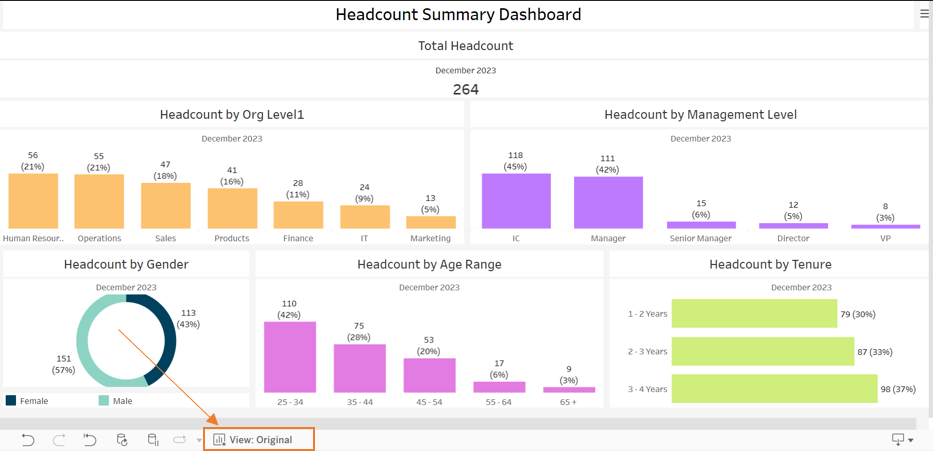
Step 2: Click "View Original"
Once both the filters are applied, click on the box at the bottom that says “View Original”.
Step 3: Name and Save your Custom View
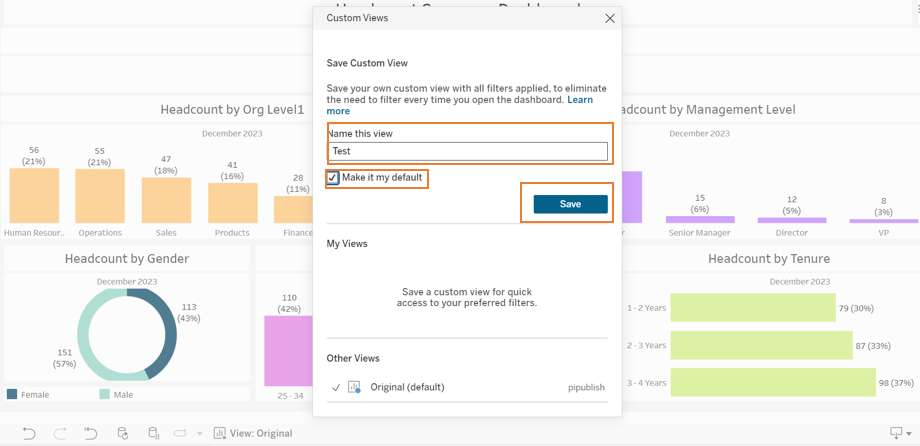
Once the pop-up box opens:
- Write the name of the custom view. For example, Test.
- Click the check box “Save as Default” if you wish to save the custom view you created as a default view.
- Hit Save
How to Use Custom Views
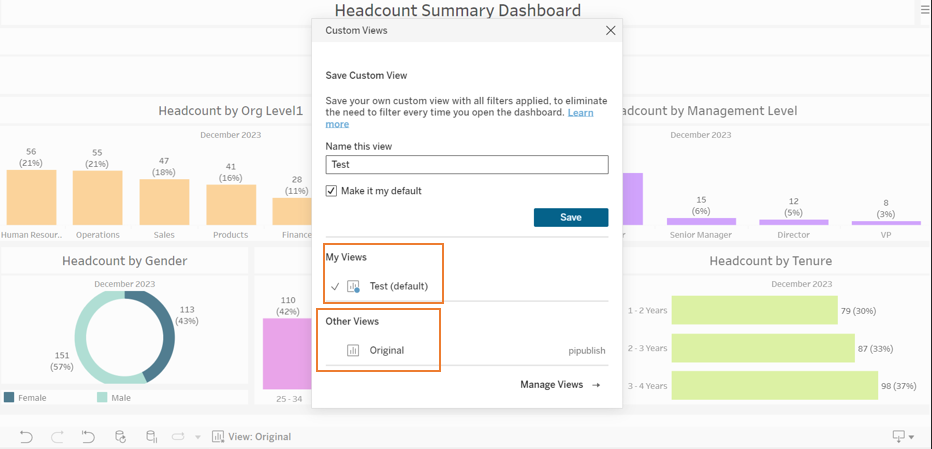
Once you hit save on a Custom View, the view will default to the saved custom view rather than the original view set by PI.
You can always switch between the custom view and original view by hitting the view original button at the bottom and choosing the desired view.
How to Manage Custom Views
You can manage the custom view by hitting Manage views.