
PeopleInsight allows for wide range of downloading capabilities. The supported formats include image, crosstab, PDF, and PowerPoint. This article will outline how to download content from PeopleInsight as well as detailing the different options for downloading.
1. Locate the ‘Download’ button on your chosen view
This button can be found on the bottom-right corner of the page.
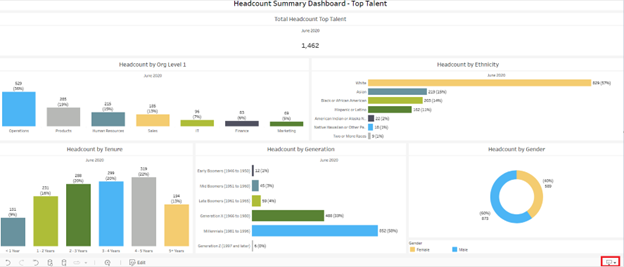
2. Press the button to choose how to download
Pressing the button will cause a menu to appear. This menu shows the options for downloading.
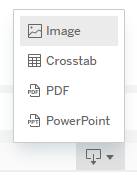
- Image will download the view as a .png
- Crosstab allows you to choose between downloading to .csv and Excel.
- PDF will download the view as a .pdf.
- PowerPoint will download the view as an image in a PowerPoint.
Select the option that best suits your needs. When downloading a detail list, we recommend to download as a .csv or Excel file. You may be prompted to specify the view you would like to download. If so, select your desired view(s) and then press ‘download’.