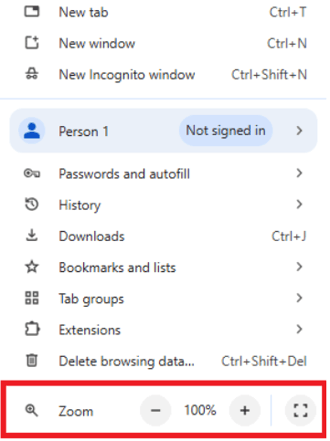
PeopleInsight dashboards are visually optimized for viewing on 24 and 27 inch monitors. As such, we highly recommend using your monitor to view your PeopleInsight dashboards. If you are using a smaller laptop screen, we recommend adjusting your browser's zoom to around 67% for the best visual experience. Depending on the size of your screen, a different zoom may be better for you.
To adjust your zoom on Chrome, press the three dots in the top right, then press the + or - to zoom in or out. Or hold Ctrl and press + to zoom in or press - to zoom out.