
Cannot remove some courses from courses menu in Learning Assets as the LMS Admin. How do I remove grayed out courses? Why are some courses check boxes grayed out? I need to remove courses, but they are grayed out.
LMS Admin is trying to deletecourses, but the courses are grayed out on list in the learning assets.

There are a couple things that you as the LMS admin can check on to see why the check box for the course is grayed out in the Legacy UI:
- Does the course have any ruleset enrollments
- Click on admin menu
- Click on the course
- Go to Enrollments
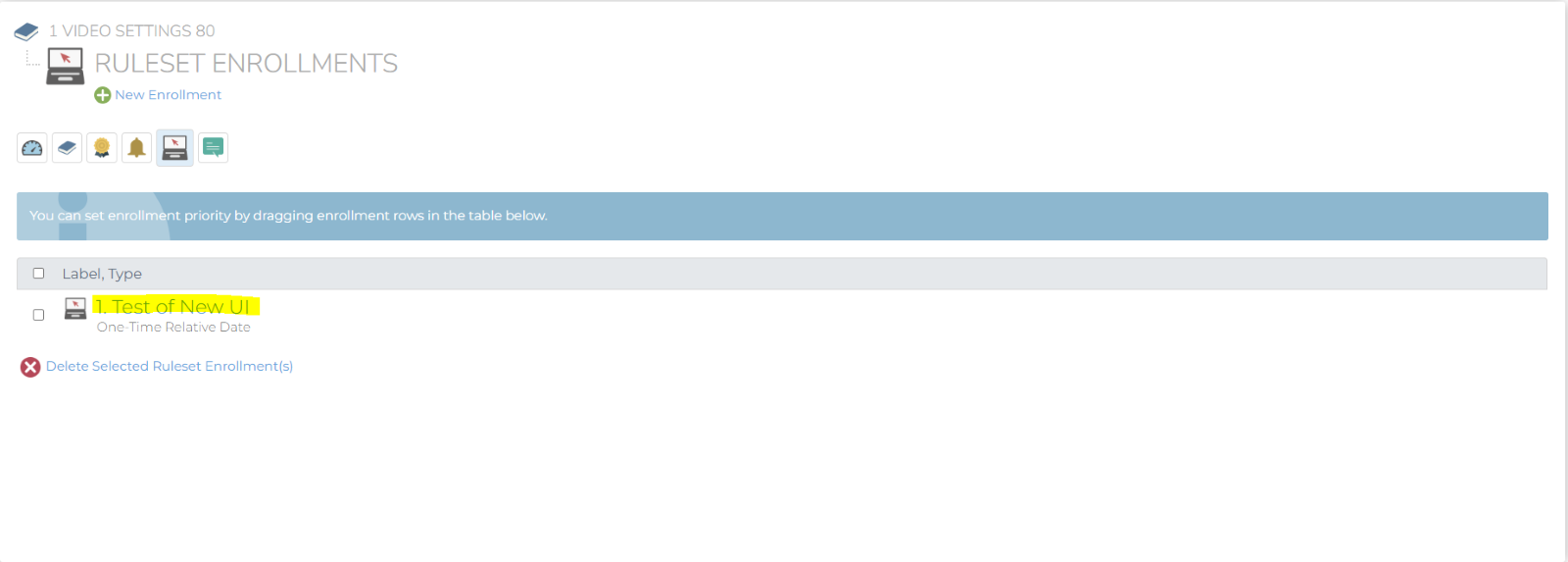
- Check to see if there are any Ruleset Enrollments – Since this course has a ruleset it cannot be deleted until the ruleset is deleted.
- Are there still users enrolled in the course
- Go to reports
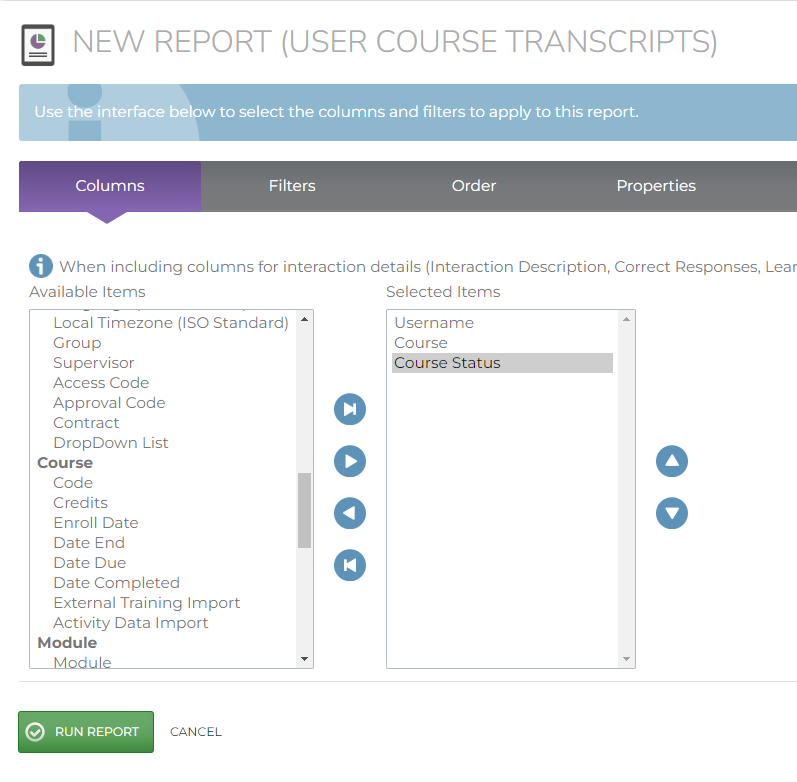
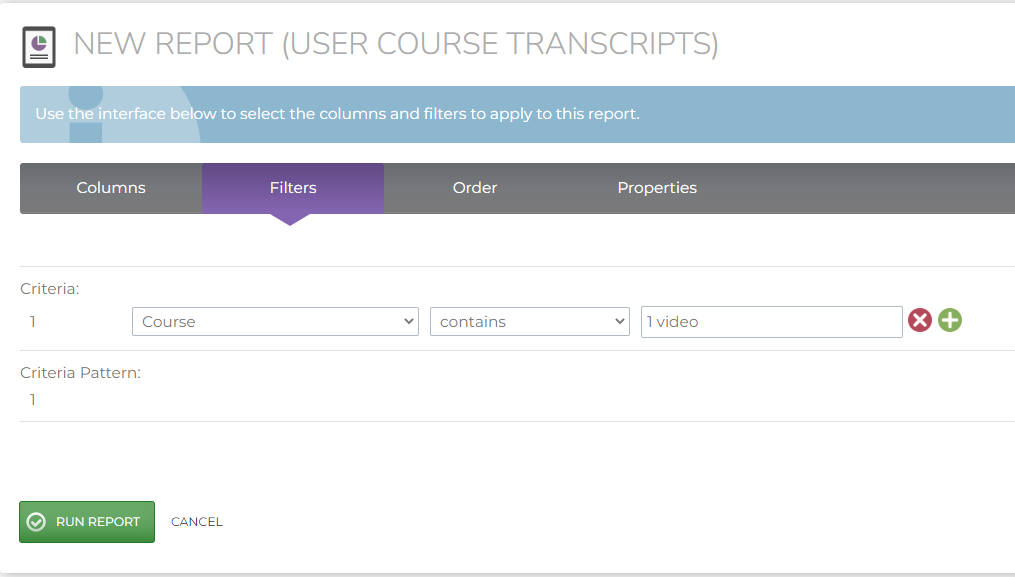
- Use “User Course Transcripts”
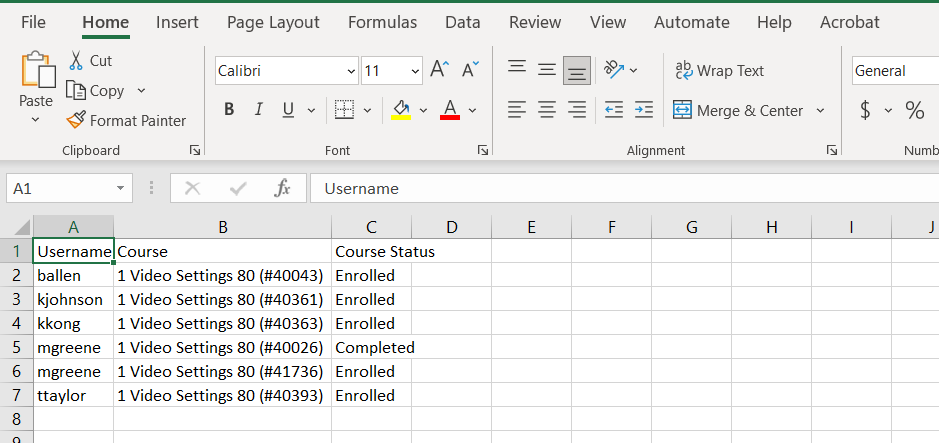
- Select columns such as username, course, course status and have a filter for that specific course. As you can see in the screenshots below there are 5 users enrolled in the course still.
Does the course not have an expiration date
- Go to Admin Menu
- Click on courses in Learning Assets
- Click on the course not able to be deleted
- Click on course properties
- Confirm if there is an expiration date on the course
Is it part of a Learning Path or Certification – You can see this by hovering over the grayed-out check box. The message will tell you want Learning Assets it is part of.
