
HR Learn LMS Release 2.0 was deployed on September 9, 2022 and contains the enhancements below. Upon release, all portals remain in the current UI. You will be able to switch to the new UI at your leisure. It is recommended that you apply the new UI to your developer portal for testing and evaluation prior to applying the new UI to your production portal. If you use SAML SSO to sign into your portal, please consult with support prior to switching to the new UI as some minor updates may be needed for your SAML endpoint.
Learner Experience: Enhancements
New User Interface
We have introduced a new user interface that updates the look and feel of the learner experience and provides more streamlined workflows for learners to interact with the system.
Note: The new UI will not automatically be applied to existing portal. The UI changes will only take effect for users after changing the theme from the administrator menu. See “Administrator experience” below for more information.
System & UI Changes:
• The “Dashboard” area has been changed to “My Activities.” This area functions much like the existing dashboard, with a few changes and enhancements. Widgets are now in a fixed layout, and can be expanded to view more information, allowing learners to access more information from one place.
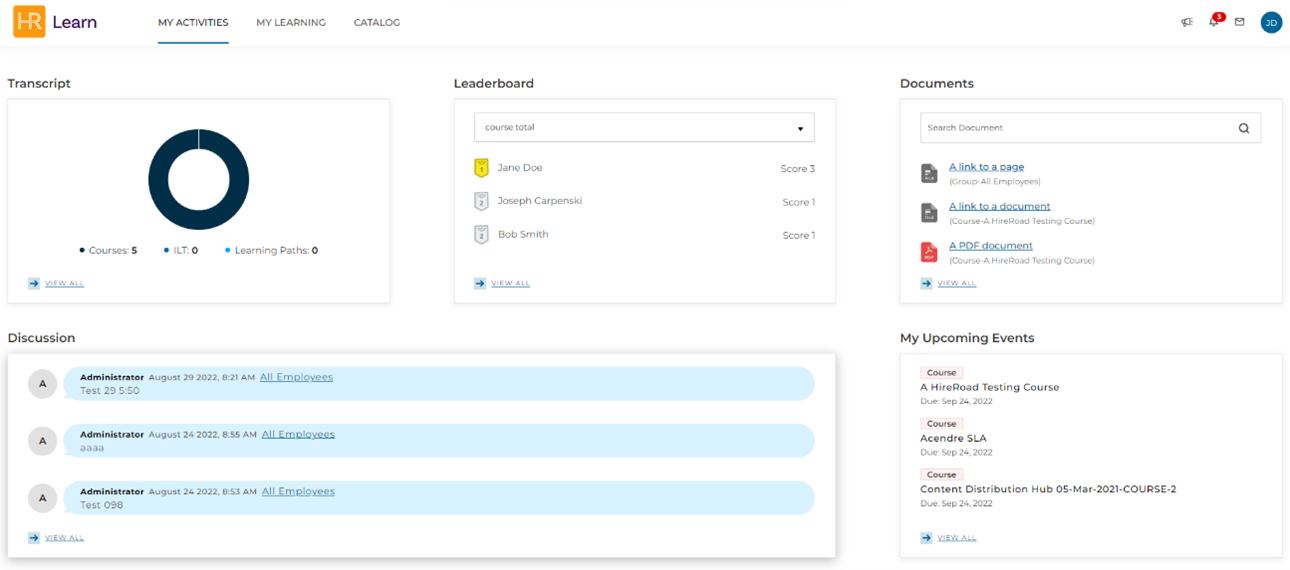 (New My Activities dashboard)
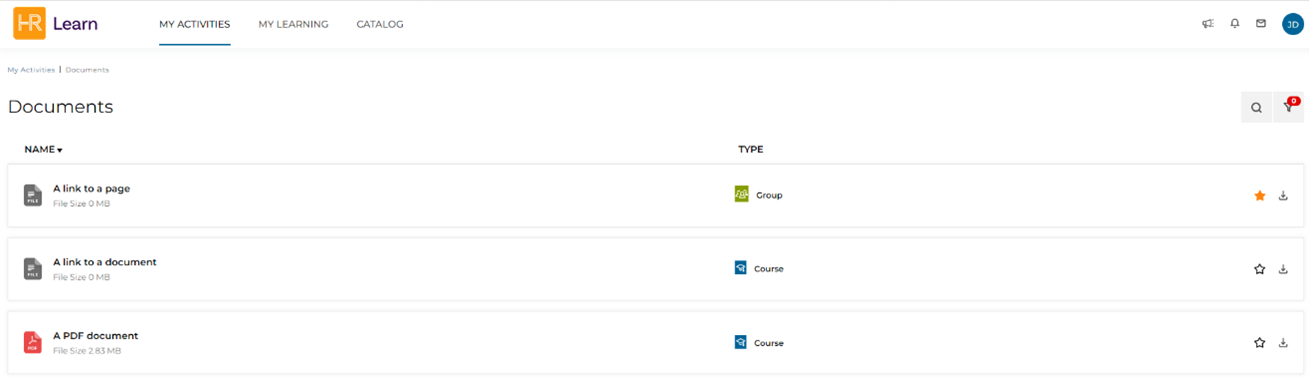
(Expanded view of the Documents widget)
• The “Enrollments” widget has been moved to its own area called “My Learning.” This area features all the learner’s enrollments and functions the same as the existing “Enrollments” widget.
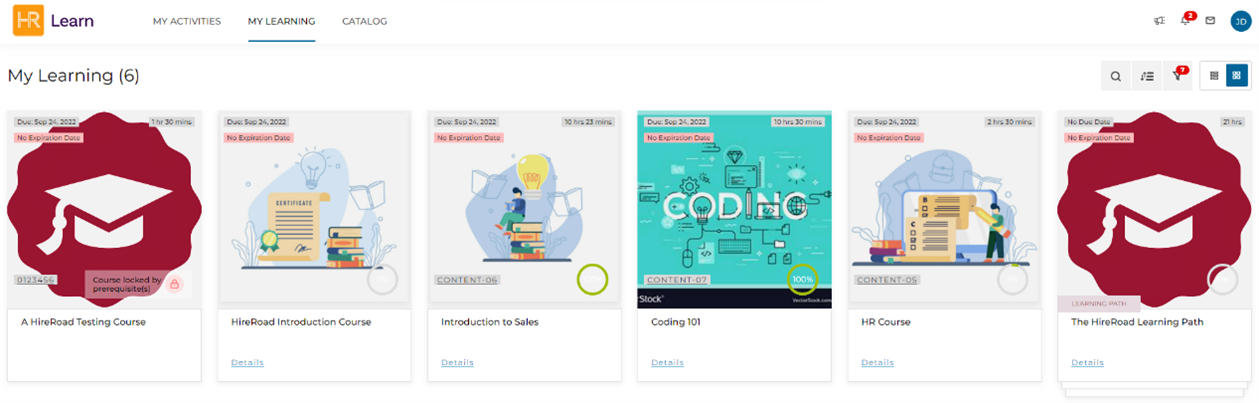
(New My Learning section)
• The “Calendar” widget on “My Activities” has been replaced by “My Upcoming Events”. This is a list view of the learner’s upcoming events for enrollment due, enrollment expiration, and ILT sessions. This view is expandable to give a complete listing of all the learner’s upcoming events.
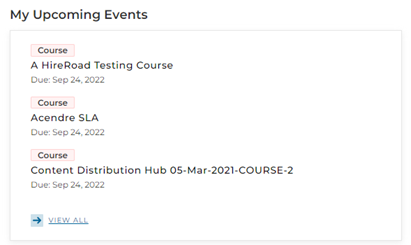
(My Upcoming Events widget)
• The “Discussion” widget on “My Activities” now includes an expanded view that allows the learner to view and contribute to all discussions they are part of from a single location within the system.
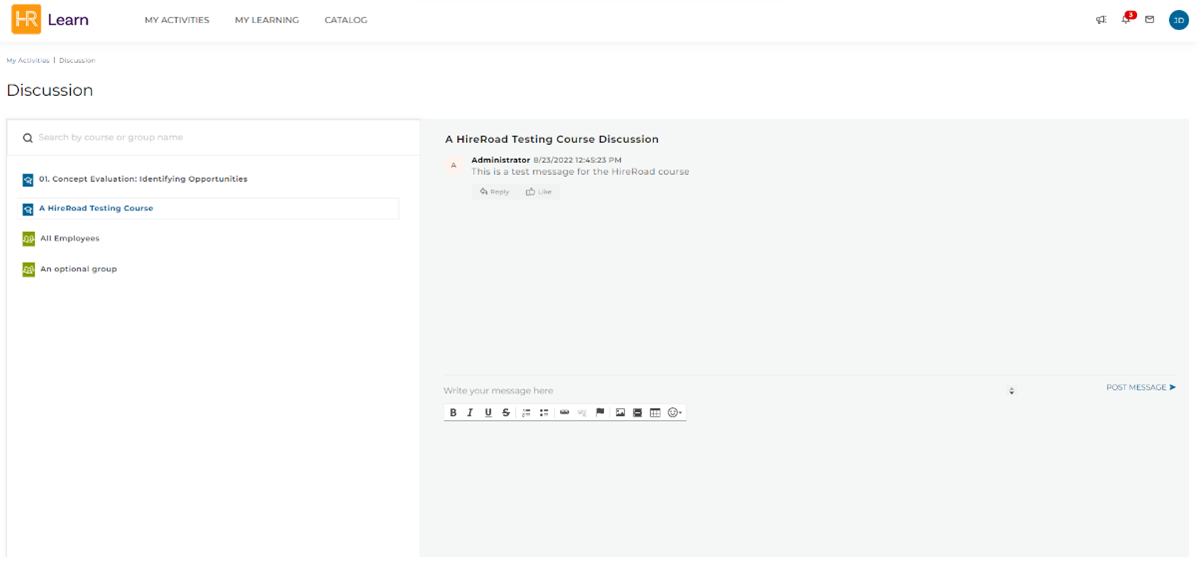
(Expanded view of Discussion widget)
• The “Calendar View” of the Catalog has been enhanced to provide a more informative view of ILT sessions.
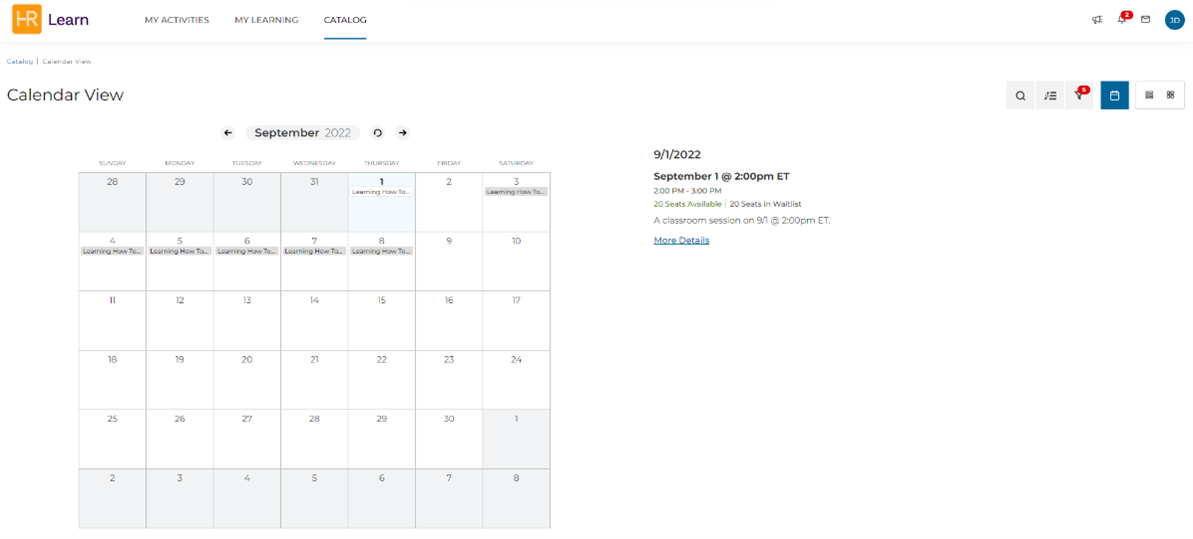
(Calendar view on Catalog page)
• Alerts and Notifications has been enhanced to provide a pop-up view to the user with the most recent alert on the user’s Alerts and Notifications menu item.

(Pop-up view of alerts and notifications)
Administrator Experience: Enhancements
New User Interface
We have introduced a new user interface that updates the look and feel of the administrator experience. All the current administrator workflows remain the same, with a few enhancements outlined below.
Notes:
• Upon release, all portals will remain in the current UI, you will be able to switch to the new UI at your leisure. It is recommended that you apply the new UI to a sandbox portal for testing and evaluation prior to applying the new UI to your production portal. If you need any assistance with set-up of a sandbox portal, please contact support.
• Instructions for applying the new UI are in the section of this document titled “Switching to the new UI.” Note that switching to the new UI will have no impact on data, and you may freely switch between the old and new UI.
• The Certifications, ILT Resources, and OpenSesame sections are still a work in progress and will be unavailable in this release of the new UI. They will be available in a release in Fall 2022.
• The Reports section is available and fully functional but is in the style of the current UI. UI updates to this section will be available in a release in Fall 2022.
• If you use SAML SSO to sign into your portal, please consult with support prior to switching to the new UI as some minor updates may be needed for your SAML endpoint.
• This is the first iteration of the new user interface, enhancements and new functionality will continue to be added.
System & UI Changes:
• The “Administrator Menu” has been redesigned and relocated to the top right navigation bar in the system masthead.
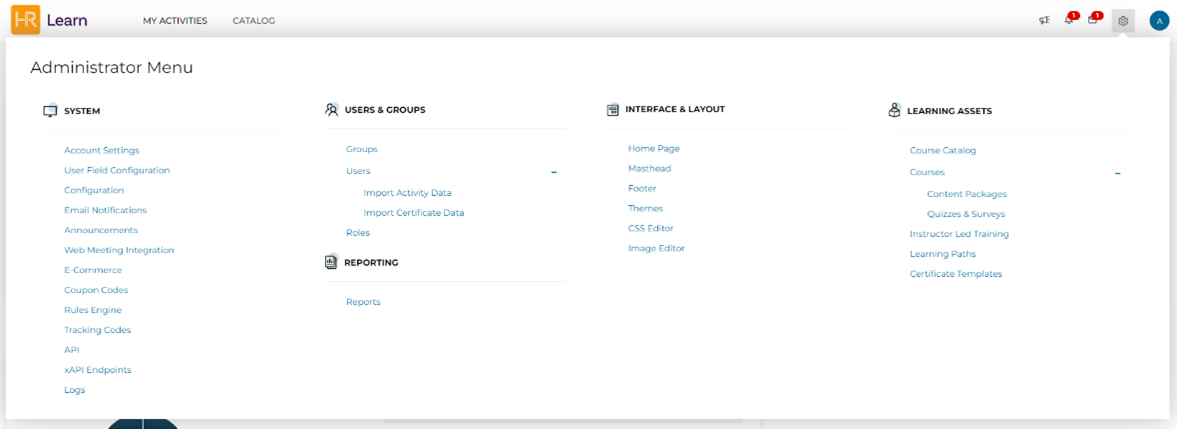 (New Administrator Menu)
• Widgets on “My Activities” can be expanded to provide more detailed views.
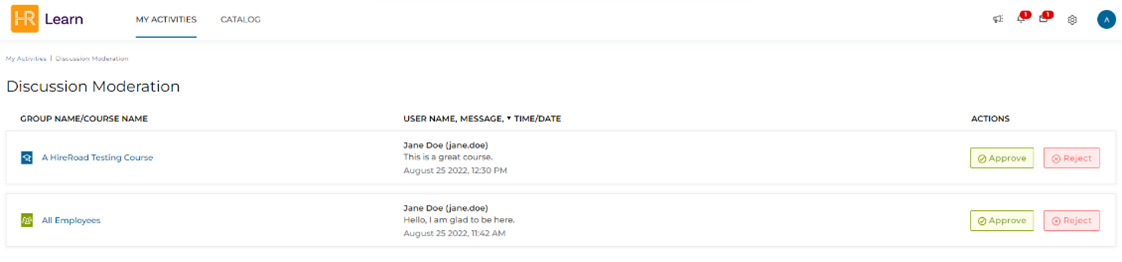 (Expanded view of Discussion Moderation widget)
• The “Enrollment Statistics” widget can be expanded to provide a detailed view of all enrollments for users. This view can be filtered to view enrollments of specific users, timeframes, and statuses.
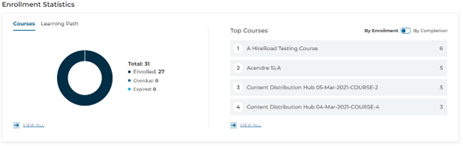
(Enrollment Statistics widget)
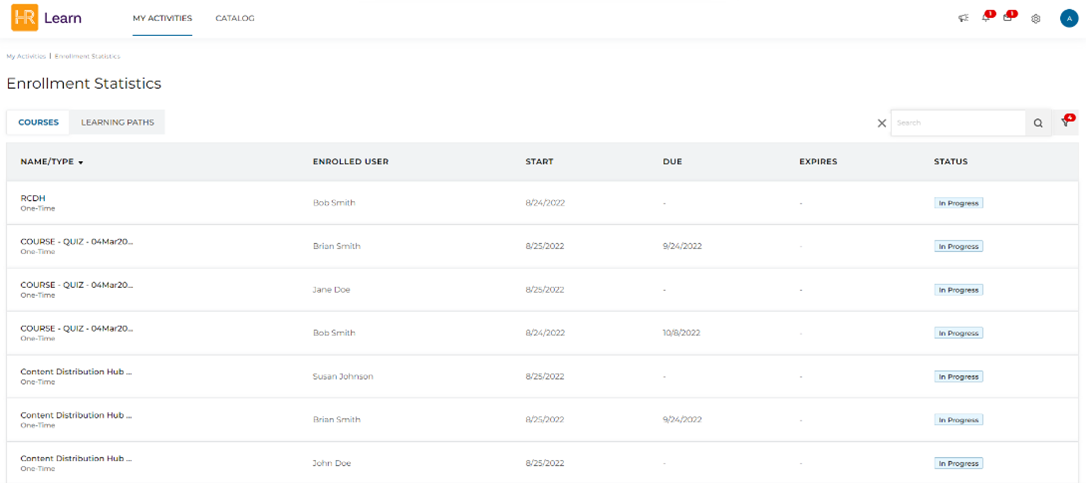
(Enrollment Statistics widget expanded view)
• Listing pages have been enhanced to consolidate menu options and provide an “infinite scroll” through object listings.
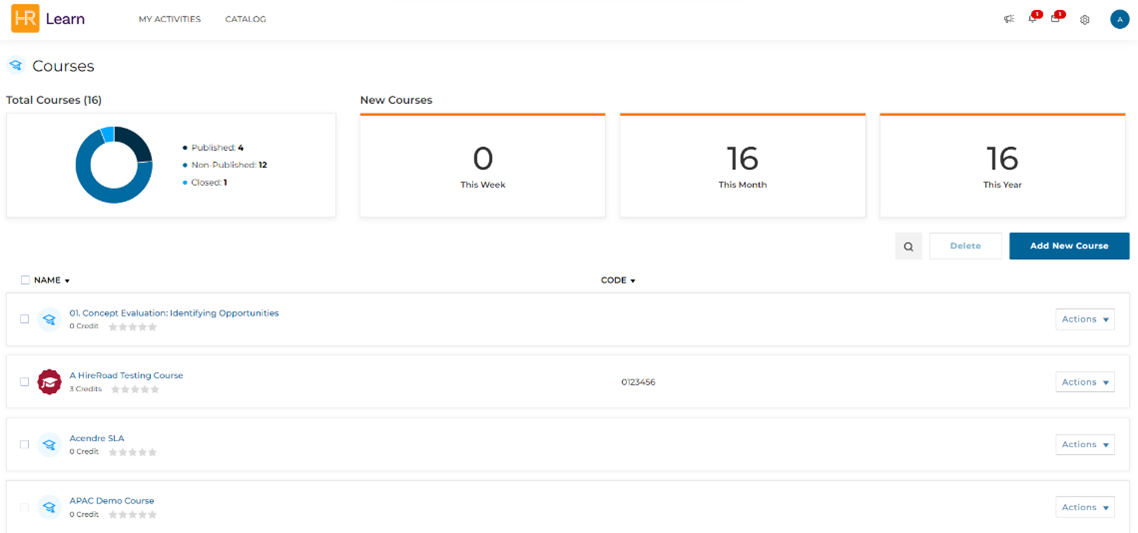
(Course listing page)
• Administrative functions remain the same in terms of workflow but have been updated with a more modern look and feel.
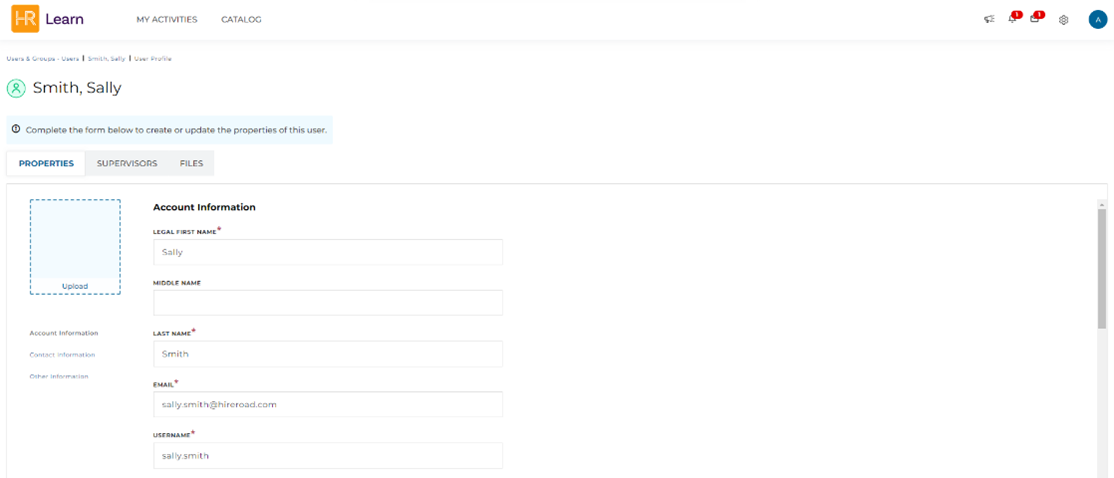
(User modify page)
Switching to the New UI
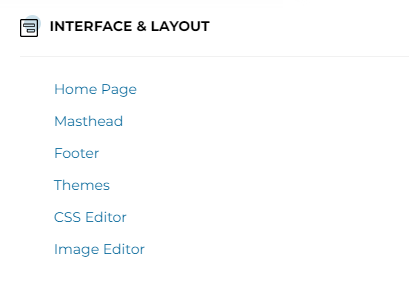
To switch to the new UI, go to the Administrator Menu > Interface & Layout > Themes section.
Expand the User Interface drop-down, select “Next Gen UI”, and click “Save”
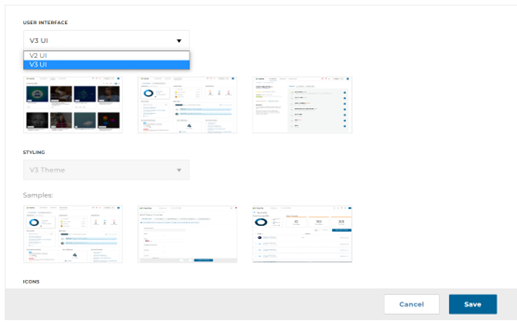
You may switch back to the old UI at any time by going to the Themes page, selecting “Legacy UI”, and clicking “Save”. Before switching to the new UI, be sure to review the notes under the “Administrator experience: Enhancements” section above.