
Content Distribution Hub (CDH)
With the content distribution hub, you can create and push content packages, quizzes, surveys, and courses to select or all portals within your multi-portal Customer Manager. Whether you are a content reseller, channel partner or association this feature will benefit you and assist in content management across all your portal.
- From within your customer manager, account admins can access content distribution hub.
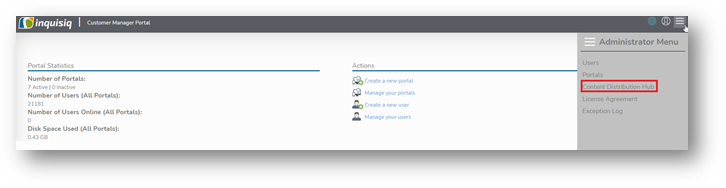
- In the content distribution hub, you will see the following options.
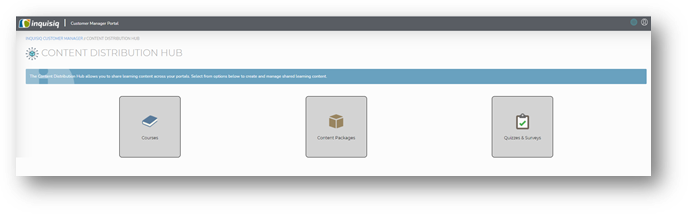
- You can create courses, content packages, quizzes, and survey just like you create from within the LMS.
- Content packages can be created and shared from the content distribution hub.
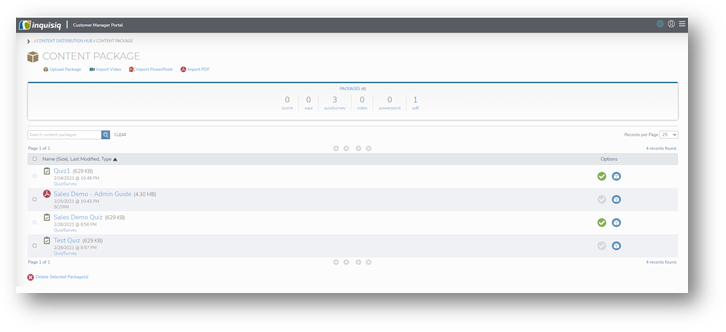
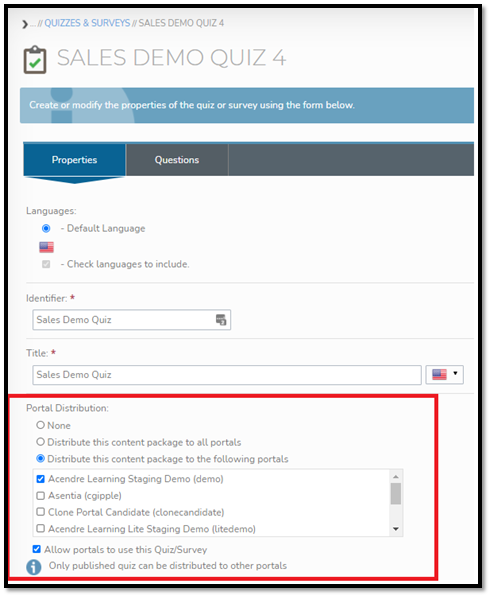
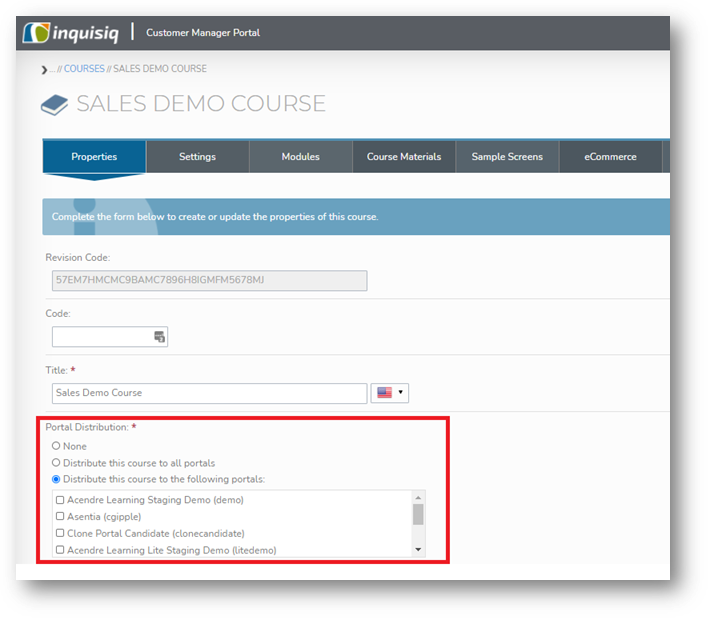
- Once created, content can be distribution via the highlighted configuration shown below.
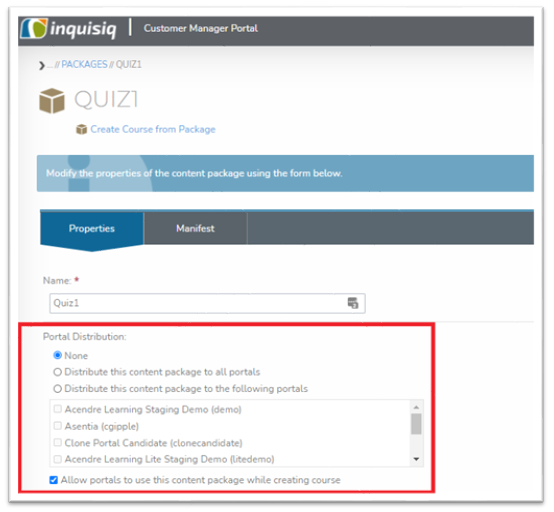
- Same options are available on quizzes and surveys and course creation/modification screens.
7. Few things to note:
a. None – configuration means the package is currently not shared with any portal or can be used to un-share.
b. Distribute this content package to all portals enables sharing to all portals within your multi- portal set-up.
c. Distribute this content package to the following portal enable you to push content to selected portals.
d. Allow portals to use this content package while creating course setting enables the use of content package in destination portal’s courses. If check box is not selected, then content packages/quizzes/survey will not be allowed to be attached to courses created within portals.
e. Courses which are distributed via the CDH are available for use in destination portal’s learning paths and certifications.
f. The following options and settings are included while creating a course -
i. Properties Tab: Code, Title, Credits, Avatar, Estimated Length, Short Description, Description, Objectives, Search Tags
ii. Settings Tab: Rating, Module Ordering, Closed, Locked, Social Media, Prerequisites
iii. Modules Tab/Module Options: Instructor Led Training Module content type will not be available under module option. All other module fields and settings will be available.
iv. Course Materials Tab: All Course Materials options will be available.
v. Sample Screens Tab: All Sample Screens options will be available.
g. The settings and options included above(f) are not editable from within the portal(s) the content is distributed to.
h. All the other properties currently available in LMS course creation action will be editable from within the portal(s) the content is distributed to. For example, enabling discussion boards for a course, adding approver or experts.
i. When a course is unshared with a portal, it will be deleted from the portal(s) that is no longer being shared to, and any dependencies (content packages, and quizzes and surveys) will also be deleted where they are not being used by another course in the portal.