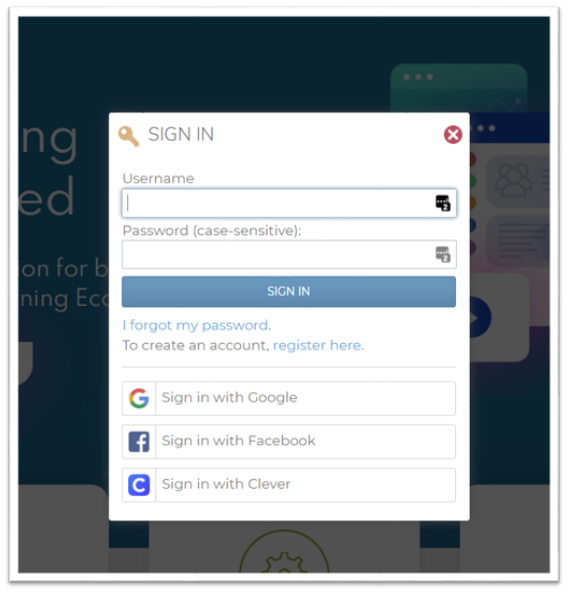
Learners can single sign-on and register with their Facebook account if the setting is turned on for your portal. By integrating your HR Learn learning platform with Facebook, you can bind your HR Learn user profiles with their corresponding Facebook accounts. This way, every user inside your platform can sign into their HR Learn platform without needing to manually enter the credentials. This manual will show you the integration in both your HR Learn learning platform as well as from Facebook side.
- Firstly, navigate to your HR Learn portal -> System -> Configuration -> Login Setup page and you will see the new SSO option.
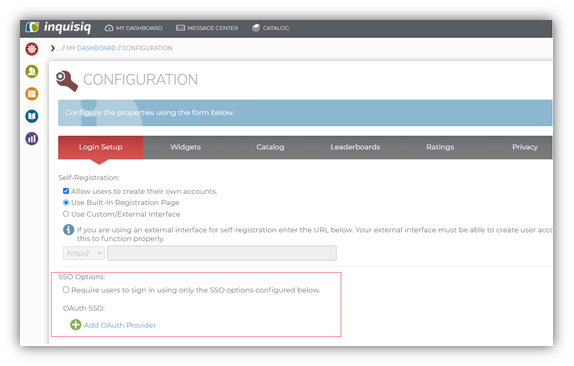
- When you click on ‘Add OAuth Provider’, the following window will pop-up, where you can choose the provider as Facebook.
- After selecting Facebook as the SSO option, click on ‘Provider Developer Guide’ hyperlink to activate the integration. This link explains the step which need to be followed to activate the SSO.
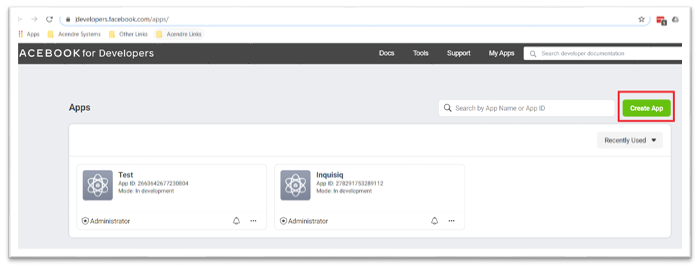
- The provider developer guide hyperlink will take you to Facebook. After logging into Facebook developer portal click on Create App link as highlighted below.
- Now select the option below and click continue
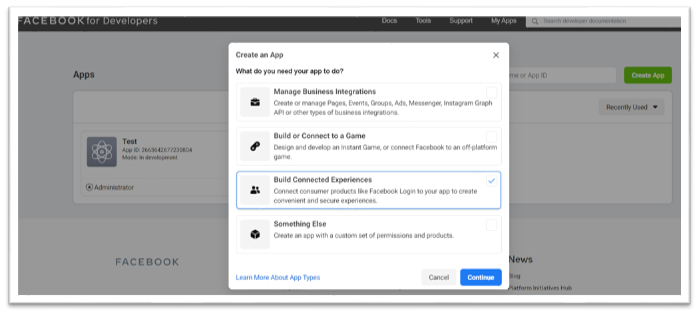
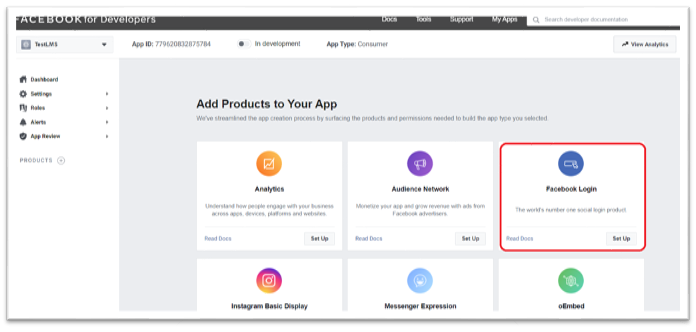
- Give the app a name, accept the security check and hit create. Now click on Facebook Login product as highlighted below. Navigate to Facebook Login -> Set Up -> Settings
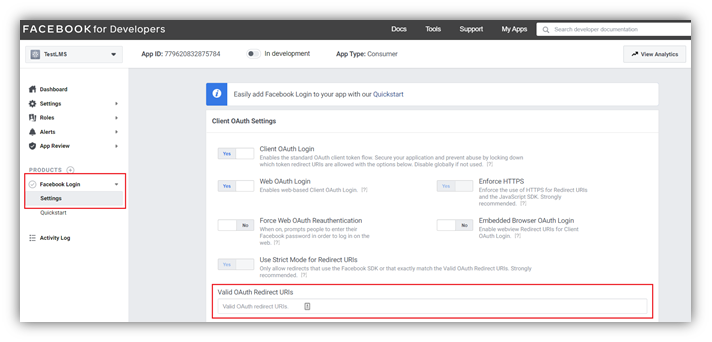
- Navigate to Facebook Login -> Set Up -> Settings and enter the redirect URI (from HR Learn) here in the highlighted ‘valid OAuth redirect URI’ field below.
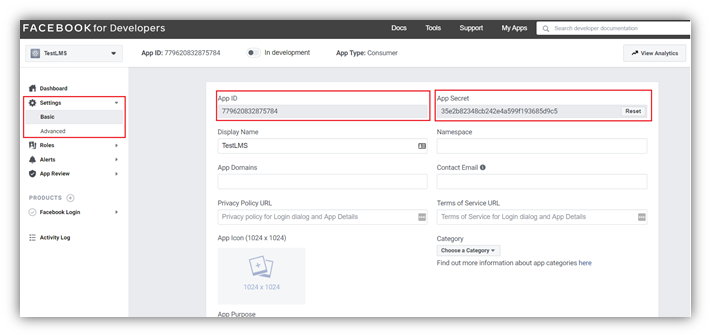
- Now, navigate to Settings -> Basic and copy the highlight app ID and secret key which needs to be pasted on your HR Learn SSO Facebook set-up page.
- Once enabled, the new SSO with Facebook option will be available on sign-in/register screen on your HR Learn LMS.