
The LMS page I am working on says page unresponsive. I am getting a pop up that states page unresponsive that I am working on. I am getting an “Aw, Snap” error message when clicking around the LMS. My page crashed in the LMS. My page will not load in the LMS. My computer load of pages in the LMS is very slow.
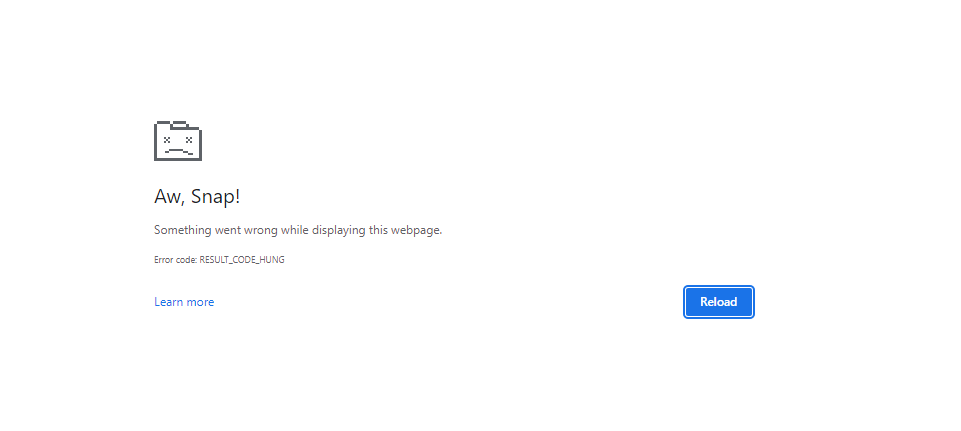
If you're getting the "Aw, Snap" error or another error code instead of a webpage, Chrome is having problems loading. You might also see the page loading slowly or not opening at all. Receiving a page unresponsive.
This error is referencing insufficient memory on your computer. Here are a couple suggestions to fix the issue:
Reload the page to fix the error
Here are other suggestions if that does not work
Step 1: Check your internet connection
Make sure your computer's connected to Wi-Fi or a wired network.
Try reloading the tab with the error.
Open the page in an Incognito window
- On your computer, open Chrome.
- At the top right, click More New Incognito window.
- In the Incognito window, try opening the page. If it opens, clear your cache and cookies.
Clear your cache and cookies
- At the top right, click More More toolsClear browsing data.
- Next to "Time range," select All time.
- Select Cached images and files and Cookies and other site data. Deselect the other types of data.
- Click Clear data.
- Try reloading the tab with the error.
Step 3: Close other tabs, extensions, & apps
Your device may have run out of memory, and can't load the site while also running your apps, extensions, and programs.
- Free up memory:
- Close every tab except for the one that’s showing the error message.
- Quit other apps or programs that are running, and pause any app or file downloads.
- Uninstall unnecessary extensions from Chrome. At the top right, click More More tools Extensions. On extensions you don't use, click Remove.
- Try reloading the tab with the error.
Here is a link to an article to help with further suggestions:
https://support.google.com/chrome/answer/95669?hl=en&co=GENIE.Platform%3DDesktop